Claude API Tool Use & Agentic AI Workflows: Complete Python Developer Guide (2026)
From your first function call to production multi-agent systems — with real Python code for health and education applications, stop reason handling, system prompt patterns, and everything you need to ship agentic AI today.
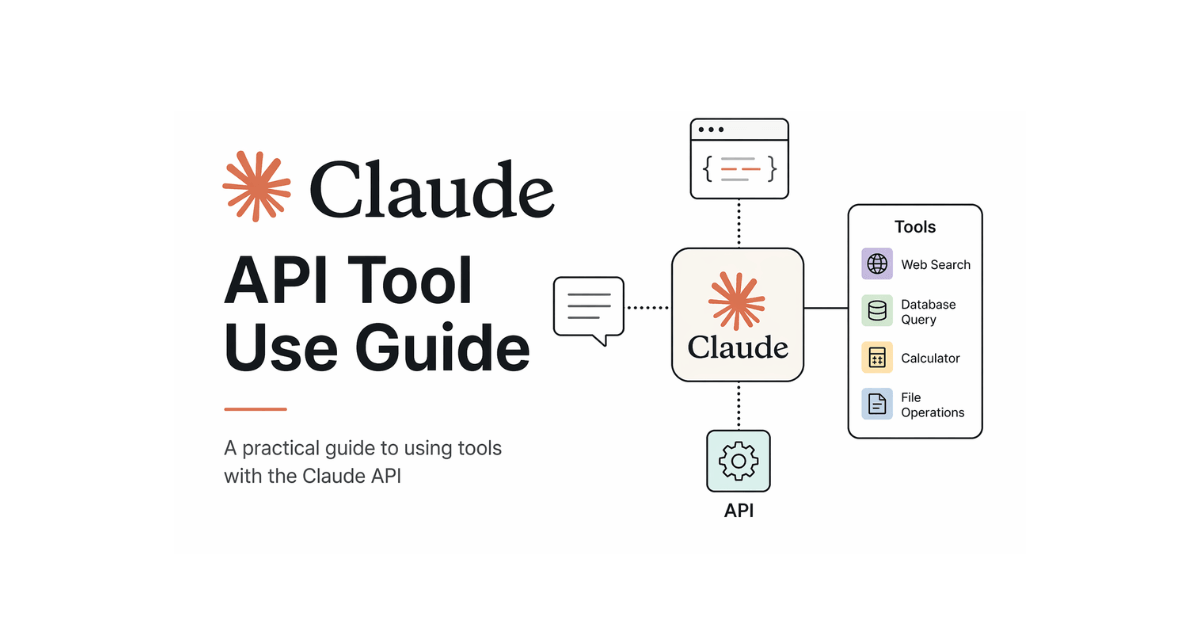
AI models become dramatically more useful when they can do things — not just answer questions, but look up real data, call APIs, run calculations, and chain multiple steps together without you managing every click. That's exactly what tool use (also called function calling) unlocks in the Claude API.
This guide walks through everything: how tool use works at the protocol level, how to design tools that Claude actually uses well, real Python code for health and education applications, how to build a full agentic loop, and how to orchestrate multiple specialized agents working together.
anthropic package installed (pip install anthropic), and an Anthropic API key. Health and education examples use simulated backends — no external databases required to run the code.
What Is Tool Use (Function Calling)?
By default, Claude only has access to what you put in the conversation. It cannot look up today's medication database, check a student's grade history, or ping an appointment system. Tool use changes that.
You define a set of tools — functions with a name, a description, and a JSON schema for their inputs. Claude reads those definitions and, when it decides a tool would help answer the user's request, it returns a structured tool_use block instead of (or alongside) regular text. Your code executes the function, returns the result, and Claude continues the conversation with that new information.
Tool Definition
You describe what a function does and what inputs it accepts using a JSON schema. Claude reads this to understand when and how to call it.
Claude Decides
Claude autonomously decides whether to call a tool, which tool to call, and what arguments to pass — based on the user's request.
You Execute
Your server runs the actual function — hitting a database, calling an external API, or running a calculation. Claude never executes code directly.
Claude Responds
You return the result to Claude as a tool_result message. Claude incorporates it and either calls more tools or delivers a final answer.
The 3-Step Tool Use Cycle
Your Request
User message + tool definitions sent to Claude API
Claude Returns tool_use
Claude picks a tool and provides the arguments. Stop reason: tool_use
You Send tool_result
Run the function, return output. Claude gives final answer. Stop reason: end_turn
The key insight: the Messages API is stateless. You always send the full conversation history, including all previous tool calls and their results. Your code manages the conversation state.
Your First Tool: A Health Symptom Assistant
Let's build something real. This assistant helps patients understand their symptoms and find nearby clinics — a common first step in digital health applications. All medical outputs include appropriate disclaimers.
import anthropic
import json

client = anthropic.Anthropic(api_key="your-api-key")

# ── Tool definitions ──────────────────────────────────────
health_tools = [
    {
        "name": "assess_symptoms",
        "description": (
            "Evaluates patient-reported symptoms and returns a preliminary "
            "urgency level with recommended next steps. Always includes a "
            "disclaimer that this is not a substitute for professional advice."
        ),
        "input_schema": {
            "type": "object",
            "properties": {
                "symptoms": {
                    "type": "array",
                    "items": {"type": "string"},
                    "description": "List of symptoms the patient is experiencing"
                },
                "severity": {
                    "type": "string",
                    "enum": ["mild", "moderate", "severe"],
                    "description": "Overall severity as reported by the patient"
                },
                "duration_days": {
                    "type": "integer",
                    "description": "How many days symptoms have been present"
                }
            },
            "required": ["symptoms", "severity"]
        }
    },
    {
        "name": "find_nearby_clinics",
        "description": "Finds medical clinics near a given city or area, optionally filtered by specialty",
        "input_schema": {
            "type": "object",
            "properties": {
                "location": {
                    "type": "string",
                    "description": "City name or area"
                },
                "specialty": {
                    "type": "string",
                    "description": "Medical specialty, e.g. 'general practice', 'cardiology'"
                }
            },
            "required": ["location"]
        }
    }
]

# ── Simulated backends (replace with real DB/API calls) ────
def assess_symptoms(symptoms: list, severity: str, duration_days: int = 1) -> dict:
    emergency_flags = ["chest pain", "difficulty breathing", "stroke",
                       "severe headache", "loss of consciousness"]
    is_emergency = (
        any(s.lower() in emergency_flags for s in symptoms)
        or severity == "severe"
    )
    return {
        "urgency": "emergency" if is_emergency else "routine",
        "recommendation": (
            "Call emergency services (1122) or go to the nearest ER immediately."
            if is_emergency
            else "Schedule an appointment with your primary care physician within 2–3 days."
        ),
        "disclaimer": "This assessment is for informational purposes only and does not replace professional medical advice."
    }

def find_nearby_clinics(location: str, specialty: str = "general practice") -> dict:
    # In production: query a clinic database or Google Places API
    return {
        "clinics": [
            {"name": f"City Health Centre — {specialty.title()}",
             "address": f"12 Medical Road, {location}",
             "phone": "021-111-000-111", "open_today": True},
            {"name": "Family Care Clinic",
             "address": f"45 Wellness Ave, {location}",
             "phone": "021-222-333-444", "open_today": True}
        ]
    }

def execute_health_tool(tool_name: str, tool_input: dict) -> str:
    try:
        if tool_name == "assess_symptoms":
            result = assess_symptoms(**tool_input)
        elif tool_name == "find_nearby_clinics":
            result = find_nearby_clinics(**tool_input)
        else:
            result = {"error": f"Unknown tool: {tool_name}"}
        return json.dumps(result)
    except Exception as e:
        return json.dumps({"error": str(e)})

# ── Single-turn tool call example ─────────────────────────
HEALTH_SYSTEM_PROMPT = """You are a compassionate healthcare information assistant.
Your role is to help patients understand their symptoms and find appropriate care.

Guidelines:
- Always use the assess_symptoms tool before giving any health advice
- If symptoms suggest urgency, always recommend finding a nearby clinic
- Remind users this is informational only and not a substitute for a doctor
- Be empathetic and clear — many users may be anxious about their health
- Respond in the same language the user writes in"""

def single_turn_health_query(user_message: str):
    response = client.messages.create(
        model="claude-sonnet-4-6",
        max_tokens=1024,
        system=HEALTH_SYSTEM_PROMPT,
        tools=health_tools,
        messages=[{"role": "user", "content": user_message}]
    )

    if response.stop_reason == "tool_use":
        # Collect and execute all tool calls in this response
        tool_results = []
        for block in response.content:
            if block.type == "tool_use":
                result_str = execute_health_tool(block.name, block.input)
                tool_results.append({
                    "type": "tool_result",
                    "tool_use_id": block.id,
                    "content": result_str
                })

        # Send tool results back — Claude gives the final answer
        final = client.messages.create(
            model="claude-sonnet-4-6",
            max_tokens=1024,
            system=HEALTH_SYSTEM_PROMPT,
            tools=health_tools,
            messages=[
                {"role": "user", "content": user_message},
                {"role": "assistant", "content": response.content},
                {"role": "user", "content": tool_results}
            ]
        )
        return final.content[0].text

    return response.content[0].text

# Try it:
print(single_turn_health_query(
    "I've had a headache and mild fever for 2 days. I'm in Lahore. What should I do?"
))
Best Practices: Designing Tools Claude Uses Well
A poorly designed tool definition leads to Claude calling it with wrong arguments or not calling it at all. These patterns consistently produce better results:
# ❌ POOR tool definition — vague, minimal schema
bad_tool = {
    "name": "get_data",
    "description": "Gets data",
    "input_schema": {
        "type": "object",
        "properties": {"query": {"type": "string"}},
        "required": ["query"]
    }
}

# ✅ GOOD tool definition — specific, rich descriptions, constrained inputs
good_tool = {
    "name": "get_student_performance",
    "description": (
        "Retrieves a student's academic performance data including subject grades, "
        "attendance percentage, and overall GPA for a given academic term. "
        "Use this when the user asks about grades, marks, or academic standing."
    ),
    "input_schema": {
        "type": "object",
        "properties": {
            "student_id": {
                "type": "string",
                "description": "The student's unique ID, e.g. STU-2024-001",
                "pattern": "^STU-\\d{4}-\\d{3}$"   # constrain the format
            },
            "term": {
                "type": "string",
                "enum": ["2024-spring", "2024-fall", "2025-spring", "2025-fall"],
                "description": "Academic term in YYYY-season format"
            },
            "include_attendance": {
                "type": "boolean",
                "description": "Whether to include attendance records",
                "default": True
            }
        },
        "required": ["student_id", "term"]
    }
}

# RULE: Use enum for any input with a fixed set of valid values
# RULE: Include "Use this when..." in every description
# RULE: Make required[] contain only what's truly needed
# RULE: Add pattern/minimum/maximum constraints where possible
2. Say exactly when to use it: "Use this when the user asks about X".
3. Describe what it returns, not just what it does.
4. Use
enum for any fixed-set input — it eliminates hallucinated values.5. Keep each tool doing exactly one thing — broad tools get called incorrectly.
The Agentic Loop: Multi-Step Autonomous Tasks
A single tool call handles simple tasks. An agentic loop handles complex ones: Claude calls a tool, sees the result, decides to call another tool, sees that result, and continues until it has everything needed for a final answer — all without human intervention between steps.
Here's a complete, production-ready agentic loop, demonstrated with an education advisor that builds a personalized study plan:
import anthropic
import json
from typing import Any

client = anthropic.Anthropic(api_key="your-api-key")

# ── Education tools ───────────────────────────────────────
education_tools = [
    {
        "name": "get_student_profile",
        "description": "Retrieves a student's current subjects, grades, and learning goals. Use this first to understand the student's situation.",
        "input_schema": {
            "type": "object",
            "properties": {
                "student_id": {"type": "string", "description": "Student identifier"}
            },
            "required": ["student_id"]
        }
    },
    {
        "name": "get_weak_topics",
        "description": "Analyzes quiz history to identify topics where the student scores below 60%. Use after getting the student profile.",
        "input_schema": {
            "type": "object",
            "properties": {
                "student_id": {"type": "string"},
                "subject": {"type": "string", "description": "Subject to analyse, e.g. 'Physics', 'Chemistry'"}
            },
            "required": ["student_id", "subject"]
        }
    },
    {
        "name": "get_study_resources",
        "description": "Returns curated free study resources (videos, notes, practice sets) for a given topic and difficulty level.",
        "input_schema": {
            "type": "object",
            "properties": {
                "topic": {"type": "string", "description": "Specific topic, e.g. 'Newton's Laws of Motion'"},
                "difficulty": {"type": "string", "enum": ["beginner", "intermediate", "advanced"]}
            },
            "required": ["topic"]
        }
    },
    {
        "name": "save_study_plan",
        "description": "Saves the finalized weekly study plan to the student's profile. Call this last, once the plan is fully built.",
        "input_schema": {
            "type": "object",
            "properties": {
                "student_id": {"type": "string"},
                "plan": {
                    "type": "object",
                    "description": "Study plan with days as keys and task lists as values"
                }
            },
            "required": ["student_id", "plan"]
        }
    }
]

# ── Simulated backends ────────────────────────────────────
def _get_student_profile(student_id: str) -> dict:
    return {
        "student_id": student_id,
        "name": "Sara Ahmed",
        "grade": "FSc Part 2",
        "subjects": ["Physics", "Chemistry", "Biology", "Mathematics"],
        "goal": "Score 85%+ in MDCAT 2026",
        "hours_per_day": 4
    }

def _get_weak_topics(student_id: str, subject: str) -> dict:
    weak = {
        "Physics": ["Electromagnetic Induction", "Nuclear Physics"],
        "Chemistry": ["Chemical Equilibrium", "Reaction Kinetics"],
        "Biology": ["Genetics"]
    }
    return {"weak_topics": weak.get(subject, []), "subject": subject}

def _get_study_resources(topic: str, difficulty: str = "intermediate") -> dict:
    return {
        "topic": topic,
        "resources": [
            {"type": "video", "title": f"{topic} — Khan Academy", "url": "https://khanacademy.org", "duration_min": 25},
            {"type": "notes", "title": f"{topic} Quick Reference", "url": "https://sabaqguide.com"},
            {"type": "practice", "title": f"{topic} MCQ Set ({difficulty})", "questions": 20}
        ]
    }

def _save_study_plan(student_id: str, plan: dict) -> dict:
    # In production: write to database
    return {"saved": True, "student_id": student_id, "plan_id": "PLAN-2026-001"}

def execute_education_tool(name: str, inputs: dict) -> str:
    dispatch = {
        "get_student_profile": _get_student_profile,
        "get_weak_topics": _get_weak_topics,
        "get_study_resources": _get_study_resources,
        "save_study_plan": _save_study_plan,
    }
    try:
        fn = dispatch.get(name)
        result = fn(**inputs) if fn else {"error": f"Tool '{name}' not found"}
        return json.dumps(result)
    except Exception as e:
        return json.dumps({"error": str(e)})

# ── The agentic loop ──────────────────────────────────────
EDUCATION_SYSTEM_PROMPT = """You are an expert academic advisor for Pakistani FSc and MDCAT students.

Your process for creating a study plan:
1. First retrieve the student's profile to understand their subjects and goals
2. For each key subject, identify their weak topics
3. Find appropriate resources for each weak topic
4. Build a realistic weekly plan respecting their available hours per day
5. Save the finalized plan

Be specific, structured, and encouraging. Include estimated time per task.
Always prioritize weaker subjects in the study schedule."""

def run_education_agent(
    student_id: str,
    user_request: str,
    max_iterations: int = 15
) -> str:
    """
    Runs a full agentic loop for the education advisor.
    Claude will autonomously call multiple tools until the task is complete.
    """
    messages = [{"role": "user", "content": f"Student ID: {student_id}\n\n{user_request}"}]

    for iteration in range(max_iterations):
        response = client.messages.create(
            model="claude-sonnet-4-6",
            max_tokens=4096,
            system=EDUCATION_SYSTEM_PROMPT,
            tools=education_tools,
            messages=messages
        )

        # ✅ Task complete — return the final answer
        if response.stop_reason == "end_turn":
            text_blocks = [b.text for b in response.content if hasattr(b, "text")]
            return "\n".join(text_blocks) if text_blocks else "Study plan saved successfully."

        # 🔧 Tool call requested — execute and continue
        if response.stop_reason == "tool_use":
            messages.append({"role": "assistant", "content": response.content})

            tool_results = []
            for block in response.content:
                if block.type == "tool_use":
                    print(f"  → Calling: {block.name}({block.input})")
                    result_str = execute_education_tool(block.name, block.input)
                    tool_results.append({
                        "type": "tool_result",
                        "tool_use_id": block.id,
                        "content": result_str
                    })

            messages.append({"role": "user", "content": tool_results})
            continue

        # ⚠️ Response truncated — raise for caller to handle
        if response.stop_reason in ["max_tokens", "model_context_window_exceeded"]:
            raise RuntimeError(f"Agent stopped unexpectedly: {response.stop_reason}")

        # Server tools hit iteration limit — continue automatically
        if response.stop_reason == "pause_turn":
            messages.append({"role": "assistant", "content": response.content})
            messages.append({"role": "user", "content": [{"type": "text", "text": "Please continue."}]})
            continue

    raise RuntimeError(f"Agent loop exceeded {max_iterations} iterations")

# Run it:
if __name__ == "__main__":
    plan = run_education_agent(
        student_id="STU-2026-042",
        user_request="Build me a 7-day study plan focused on my weakest subjects. I have an MDCAT in 3 months."
    )
    print(plan)
Stop Reasons: What Claude Is Telling You
Every API response includes a stop_reason. In an agentic loop you must check this — it tells you what to do next.
| stop_reason | Meaning | Action |
|---|---|---|
| end_turn | Claude finished naturally | Extract text, return to user |
| tool_use | Claude wants to call one or more tools | Execute all tool_use blocks, add tool_results, call API again |
| max_tokens | Hit the max_tokens limit you set |
Increase limit or prompt Claude to continue |
| model_context_window_exceeded | Hit the model's absolute context limit | Summarize/compress earlier messages |
| pause_turn | Server-side tool hit its iteration ceiling | Add assistant response to messages, call API again |
| refusal | Claude declined for safety reasons | Log the refusal, rephrase or escalate |
| stop_sequence | Hit one of your custom stop sequences | Extract partial output, process accordingly |
tool_result blocks, do not append extra text in the same user message. Doing so trains the conversation pattern such that Claude expects a user message after every tool call — causing empty end_turn responses. Return only the tool_result blocks in that message.
Multi-Agent Workflows: Orchestrator + Specialists
As tasks grow complex, a single agent with many tools becomes unwieldy. Multi-agent workflows split the work: an orchestrator understands the user's goal and delegates to specialist agents, each with a focused set of tools and expertise.
🔧 Single Tool Call
- Simple lookup or calculation
- One tool, one result, done
- e.g. "What are my grades?"
🔄 Agentic Loop
- Multi-step autonomous task
- One agent, many tools, iterates until done
- e.g. "Build my study plan"
🌐 Multi-Agent
- Parallel or sequential specialists
- Orchestrator delegates tasks to focused agents
- e.g. "Create a health + study plan for exam week"
import anthropic
import json

client = anthropic.Anthropic(api_key="your-api-key")

# ── Generic agent runner (reusable) ──────────────────────
def run_agent(
    system_prompt: str,
    user_message: str,
    tools: list,
    tool_executor,
    model: str = "claude-haiku-4-5-20251001",
    max_iterations: int = 10
) -> str:
    messages = [{"role": "user", "content": user_message}]

    for _ in range(max_iterations):
        resp = client.messages.create(
            model=model, max_tokens=2048,
            system=system_prompt, tools=tools, messages=messages
        )
        if resp.stop_reason == "end_turn":
            texts = [b.text for b in resp.content if hasattr(b, "text")]
            return " ".join(texts)
        if resp.stop_reason == "tool_use":
            messages.append({"role": "assistant", "content": resp.content})
            results = [
                {"type": "tool_result", "tool_use_id": b.id,
                 "content": tool_executor(b.name, b.input)}
                for b in resp.content if b.type == "tool_use"
            ]
            messages.append({"role": "user", "content": results})
    return "Agent reached iteration limit."


# ── Specialist Agent 1: Health ────────────────────────────
class HealthSpecialistAgent:
    SYSTEM = """You are a healthcare information specialist for students.
Focus only on health-related questions: nutrition, sleep, stress management,
and physical wellness during exam periods. Never diagnose medical conditions."""

    TOOLS = [
        {
            "name": "get_wellness_tips",
            "description": "Returns evidence-based wellness tips for students during exam stress",
            "input_schema": {
                "type": "object",
                "properties": {
                    "concern": {
                        "type": "string",
                        "enum": ["sleep", "nutrition", "anxiety", "eye_strain", "energy"],
                        "description": "The wellness area to address"
                    }
                },
                "required": ["concern"]
            }
        },
        {
            "name": "create_wellness_schedule",
            "description": "Creates a daily wellness routine integrated with study hours",
            "input_schema": {
                "type": "object",
                "properties": {
                    "study_hours": {"type": "integer", "description": "Hours per day dedicated to study"},
                    "primary_concern": {"type": "string"}
                },
                "required": ["study_hours"]
            }
        }
    ]

    def execute_tool(self, name: str, inputs: dict) -> str:
        data = {
            "get_wellness_tips": {
                "sleep": "Maintain a consistent 10pm–6am sleep schedule. Avoid screens 1hr before bed.",
                "nutrition": "Eat protein-rich breakfast (eggs, dahi). Avoid heavy meals before study.",
                "anxiety": "4-7-8 breathing: inhale 4s, hold 7s, exhale 8s. Practice 3x daily.",
                "eye_strain": "20-20-20 rule: every 20 min, look 20 ft away for 20 seconds.",
                "energy": "Short 10-minute walks every 90 minutes boost alertness and retention."
            },
            "create_wellness_schedule": {
                "morning": "6:00 AM wake, 15 min walk, protein breakfast",
                "study_blocks": f"{inputs.get('study_hours', 4)} hours, split into 90-min blocks with 20-min breaks",
                "evening": "Light dinner at 7pm, no screen after 9pm, sleep by 10pm"
            }
        }
        result = data.get(name, {})
        if name == "get_wellness_tips":
            concern = inputs.get("concern", "energy")
            result = {"tip": result.get(concern, "Stay hydrated and take regular breaks.")}
        return json.dumps(result)

    def run(self, task: str) -> str:
        return run_agent(self.SYSTEM, task, self.TOOLS, self.execute_tool)


# ── Specialist Agent 2: Education ─────────────────────────
class EducationSpecialistAgent:
    SYSTEM = """You are a concise academic planning specialist for MDCAT and FSc students.
Focus only on study planning, resource recommendations, and exam strategy.
Be brief and actionable."""

    TOOLS = [
        {
            "name": "generate_quick_plan",
            "description": "Generates a quick 3-day intensive study plan for given subjects",
            "input_schema": {
                "type": "object",
                "properties": {
                    "subjects": {
                        "type": "array",
                        "items": {"type": "string"},
                        "description": "Subjects to cover"
                    },
                    "hours_available": {"type": "integer"}
                },
                "required": ["subjects"]
            }
        }
    ]

    def execute_tool(self, name: str, inputs: dict) -> str:
        subjects = inputs.get("subjects", [])
        hours = inputs.get("hours_available", 4)
        plan = {
            f"Day {i+1}": {
                "subject": subjects[i % len(subjects)],
                "hours": hours,
                "tasks": ["Review notes (1hr)", "Solve 30 MCQs (1hr)", "Past paper section (2hr)"]
            }
            for i in range(3)
        }
        return json.dumps(plan)

    def run(self, task: str) -> str:
        return run_agent(self.SYSTEM, task, self.TOOLS, self.execute_tool)


# ── Orchestrator Agent ────────────────────────────────────
class OrchestratorAgent:
    def __init__(self):
        self.health_agent = HealthSpecialistAgent()
        self.education_agent = EducationSpecialistAgent()

    SYSTEM = """You are a student success orchestrator. You have access to two specialist agents:
- health_agent: handles wellness, sleep, nutrition, stress, and physical health
- education_agent: handles study planning, subjects, and exam preparation

Break every request into sub-tasks and delegate each to the right agent.
Synthesize both agents' responses into a single coherent plan for the student."""

    @property
    def routing_tools(self):
        return [
            {
                "name": "delegate_to_health_agent",
                "description": "Sends a wellness or health task to the health specialist agent",
                "input_schema": {
                    "type": "object",
                    "properties": {"task": {"type": "string"}},
                    "required": ["task"]
                }
            },
            {
                "name": "delegate_to_education_agent",
                "description": "Sends a study planning or academic task to the education specialist agent",
                "input_schema": {
                    "type": "object",
                    "properties": {"task": {"type": "string"}},
                    "required": ["task"]
                }
            }
        ]

    def execute_routing(self, name: str, inputs: dict) -> str:
        task = inputs["task"]
        if name == "delegate_to_health_agent":
            print(f"  🏥 Health agent: {task[:50]}...")
            return self.health_agent.run(task)
        elif name == "delegate_to_education_agent":
            print(f"  📚 Education agent: {task[:50]}...")
            return self.education_agent.run(task)
        return json.dumps({"error": "Unknown agent"})

    def run(self, user_message: str) -> str:
        return run_agent(
            self.SYSTEM, user_message,
            self.routing_tools, self.execute_routing,
            model="claude-sonnet-4-6",  # smarter model for orchestration
            max_iterations=12
        )


# Try the full system:
if __name__ == "__main__":
    orchestrator = OrchestratorAgent()
    result = orchestrator.run(
        "I have my MDCAT in 3 days. I'm studying Physics and Chemistry but "
        "I'm also very stressed and not sleeping well. Can you help me with both?"
    )
    print(result)
Structured Outputs: Guaranteed JSON from Claude
Tool use naturally produces structured data, but sometimes you want Claude's final text response to be a guaranteed JSON object — for parsing into a database, rendering in a UI, or feeding to another system. The cleanest way: define a single "output" tool and instruct Claude to always call it.
# Patient intake form — guaranteed structured JSON output
import anthropic, json

client = anthropic.Anthropic(api_key="your-api-key")

output_tool = {
    "name": "save_patient_intake",
    "description": "Always call this tool to save the structured patient intake data.",
    "input_schema": {
        "type": "object",
        "properties": {
            "full_name": {"type": "string"},
            "age": {"type": "integer"},
            "chief_complaint": {"type": "string", "description": "Primary reason for visit in patient's words"},
            "symptom_duration_days": {"type": "integer"},
            "severity": {"type": "string", "enum": ["mild", "moderate", "severe"]},
            "existing_conditions": {
                "type": "array", "items": {"type": "string"},
                "description": "Known conditions, empty array if none"
            },
            "requires_urgent_care": {"type": "boolean"}
        },
        "required": ["full_name", "age", "chief_complaint", "severity", "requires_urgent_care"]
    }
}

def extract_patient_intake(conversation_text: str) -> dict:
    """
    Takes a free-form patient conversation and extracts
    a structured intake form — guaranteed JSON output.
    """
    response = client.messages.create(
        model="claude-haiku-4-5-20251001",
        max_tokens=1024,
        system="""Extract patient intake information from the conversation.
Always call the save_patient_intake tool with the extracted data.
If a required field is unclear, make a reasonable inference and note it.""",
        tools=[output_tool],
        tool_choice={"type": "tool", "name": "save_patient_intake"},  # force this tool
        messages=[{"role": "user", "content": conversation_text}]
    )

    for block in response.content:
        if block.type == "tool_use" and block.name == "save_patient_intake":
            return block.input  # already a Python dict — validated against the schema

    raise ValueError("Model did not return structured intake data")

# Example usage:
conversation = """
Patient: My name is Ahmed, I'm 28. I've had a bad cough for 5 days now,
it's getting worse and I have a slight fever. I'm diabetic.
Receptionist: On a scale of 1-10 how bad is it?
Patient: About a 6, I can still walk around but it's affecting my sleep.
"""

intake = extract_patient_intake(conversation)
print(json.dumps(intake, indent=2))
# {
#   "full_name": "Ahmed",
#   "age": 28,
#   "chief_complaint": "Cough and fever for 5 days",
#   "symptom_duration_days": 5,
#   "severity": "moderate",
#   "existing_conditions": ["diabetes"],
#   "requires_urgent_care": false
# }
tool_choice: "tool"
Setting tool_choice to force a specific tool guarantees structured output — Claude cannot return plain text. Use this for data extraction pipelines, form processing, and any case where you need to parse Claude's output programmatically. It's simpler and more reliable than parsing freeform text.
Production Best Practices
- Always validate tool inputs server-side — never trust Claude's schema alone
- Health apps: mandate disclaimers in the system prompt
- Wrap every tool execution in try/except and return structured errors
- Set
max_iterationsin every agentic loop to prevent runaway costs - Log every tool call and result for audit trails
- Use Haiku 4.5 for specialist agents, Sonnet 4.6 for orchestrators
- Enable prompt caching for long system prompts used across many requests
- Parallelize independent tool calls in the same turn when possible
- Use Batch API for non-real-time tasks (50% cheaper)
- Set tight
max_tokenson tools that return structured data
- One tool → one responsibility. Don't combine unrelated functions
- Return errors as strings in
tool_result, never raise inside the loop - For long agent sessions, summarize earlier tool results to save tokens
- Give specialist agents narrower context windows — less noise, better focus
- Store conversation state externally for sessions longer than 30 minutes
System Prompt Patterns for Domain Agents
A well-written system prompt is the most powerful tool in your agentic toolkit. Here are proven templates for health and education applications:
# ── Health Agent System Prompt ────────────────────────────
HEALTH_AGENT_SYSTEM = """You are a healthcare information assistant for HealthBridge,
serving patients in Pakistan.

CAPABILITIES:
- Assess symptoms and recommend urgency level
- Help patients find nearby clinics and specialists
- Provide general health education and medication information
- Assist with appointment scheduling

STRICT LIMITS:
- You do not diagnose medical conditions
- You do not prescribe or recommend specific medications
- Every response about symptoms must end with: "Please consult a qualified doctor for proper diagnosis."
- For any severe or emergency symptoms, immediately direct to emergency services (1122)

TONE:
- Warm, clear, and non-alarmist
- Use simple language (assume 8th grade reading level)
- Respond in the patient's language (Urdu or English)

PROCESS:
1. Always call assess_symptoms before advising on any health concern
2. If urgency is high or severe, call find_nearby_clinics immediately
3. Offer to answer follow-up questions"""

# ── Education Agent System Prompt ─────────────────────────
EDUCATION_AGENT_SYSTEM = """You are an academic advisor for Sabaq Guide, helping
Pakistani FSc and MDCAT students achieve their best results.

CAPABILITIES:
- Analyze student performance data to identify gaps
- Build personalized weekly study schedules
- Recommend verified free resources for each topic
- Generate practice quiz questions
- Provide exam strategy and time management advice

APPROACH:
- Be specific: name exact topics, chapters, and resources
- Be realistic: respect the student's available study hours
- Prioritize: focus 60% of time on weak subjects, 40% on maintaining strong ones
- Motivate: acknowledge effort and frame challenges positively

PROCESS:
1. Always retrieve the student profile first to understand their context
2. Identify weak areas before recommending a plan
3. Find specific resources for each weak topic
4. Build the schedule day by day, then save it
5. Close with 3 concrete action items for today

OUTPUT FORMAT:
Present the study plan as a clear table or numbered list.
Include estimated time for each task."""

# ── Orchestrator System Prompt ─────────────────────────────
ORCHESTRATOR_SYSTEM = """You are a student success coordinator managing a team of specialists.

AVAILABLE SPECIALISTS:
- health_agent: wellness, sleep, nutrition, stress, physical health
- education_agent: study plans, subject revision, exam strategy

DELEGATION RULES:
- Any question touching physical wellbeing → health_agent
- Any question about studying, grades, plans → education_agent
- Questions that span both → delegate to both, then synthesize

SYNTHESIS RULES:
- Present a unified, coherent response — not two separate lists
- Explicitly link health recommendations to study performance
  (e.g., "Better sleep will help you retain the Physics concepts we scheduled for Tuesday")
- Keep the combined response under 500 words unless the user asks for detail"""
Frequently Asked Questions
Client-side tools (what we've built above) are functions you implement and execute on your own servers. Claude tells you when to call them, but the actual execution happens in your code. Web search is a server-side tool — the Anthropic platform runs it directly without your code needing to do anything. Both follow the same tool use protocol, but server-side tools don't require you to implement the backend.
Yes. Claude can return multiple tool_use blocks in a single response when it determines that several tools should be called in parallel. Your loop should execute all of them before sending the results back. This reduces the number of API round-trips needed for complex tasks — look for all blocks where block.type == "tool_use" in a single response, not just the first one.
Pass tool_choice={"type": "none"} in your API call. This tells Claude to answer from its knowledge without calling any tools — useful for general questions where real-time data isn't needed. Alternatively, simply don't pass the tools parameter at all and Claude won't attempt to use any.
Wrap every tool function in try/except and return the error as a JSON string in the tool_result content (e.g., json.dumps({"error": str(e)})). Never let an exception crash your loop. Claude will read the error message, understand something went wrong, and either try a different approach or explain the limitation to the user — which is the correct graceful degradation.
There's no hard limit on the number of tool definitions, but each tool definition consumes input tokens. In practice, 5–20 well-scoped tools per agent is the sweet spot. If you have hundreds of tools, use the Tool Search feature to dynamically discover and load only the relevant subset based on the user's request — this keeps your context efficient and improves Claude's tool selection accuracy.
For orchestrators and complex reasoning tasks, use claude-sonnet-4-6 — it balances intelligence and speed well for most production workloads. For high-volume, latency-sensitive specialist agents, use claude-haiku-4-5-20251001. Reserve claude-opus-4-7 for the most complex reasoning tasks where quality trumps cost, such as long-horizon planning or nuanced medical information synthesis.